No results found Try a different search term
Download the App
Get Interview VIP on Mac or Windows and log in with your account to start using AI assistance in real time
Hover to Click
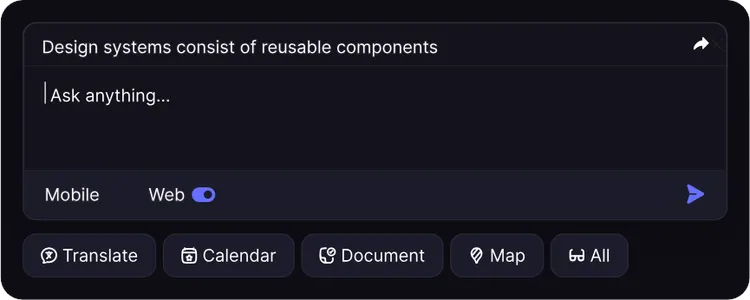
Hover over any on screen question and a full AI answer appears instantly One click copies it so you can respond without ever reaching for the keyboard
Undetectable Overlay
The AI overlay uses OS level window exclusion and is never captured by Zoom, Microsoft Teams, Chime, WebEx, HireVue, or any screen recorder
Get Started
Download the Interview VIP desktop app for your operating system Once installed, launch the app and sign in with your Interview VIP account New users start with a free trial and can upgrade to a paid plan at any time
Setting Up
Position the window
The Interview VIP window is fully moveable Drag it anywhere on your screen and place it right next to your code editor or video panel so the answers appear exactly where your eyes naturally rest The window stays exactly where you put it for the rest of the session
How It Works
Hover to click answers
When a coding problem or interview question is on screen, hover over it Interview VIP instantly surfaces a full AI generated answer One click copies the answer so you can paste straight into the code editor without ever breaking eye contact with the interviewer or reaching for the keyboard
Real time transcription
Interview VIP listens to your interviewer through system audio and transcribes every word in real time The moment a question is captured, the AI generates a response automatically No buttons to press, no toggles to manage
Verbal and on screen questions
Interview VIP combines audio and screen capture so it never misses context Verbal follow ups are answered as the interviewer speaks and on screen problems are solved the moment they appear When both arrive together, the AI fuses them for a precise response
Problem coverage
Interview VIP handles the full range of technical interview content
- LeetCode style algorithms and data structures
- In depth system design solutions
- Object oriented design guidance
- Technical trivia and concept questions
- Behavioral and situational follow ups
All major programming languages are covered including Python, Java, C++, JavaScript, TypeScript, Go, Rust, and SQL
Privacy & Invisibility
Screen share bypass
The AI overlay uses OS level window exclusion which keeps it completely invisible to screen recording and sharing tools When your interviewer views your screen share, they see only your code editor, never the AI assistant running alongside it
This is validated daily on Zoom, Microsoft Teams, Chime, WebEx, HireVue, CoderPad, HackerRank, and every major screen recorder
Invisible in Activity Monitor
On macOS, Interview VIP runs silently in the background without leaving any trace in Activity Monitor No suspicious processes, no background footprint that interviewers can spot
Nowhere on your Dock
The app stays fully active throughout the interview but never shows an icon on the Dock There is nothing visible for an interviewer to notice if they glance at your screen
Supported Platforms
Interview VIP is validated on every major coding interview platform and every major video conferencing tool New platforms are tested and certified each week
LeetCode, HackerRank, CoderPad, CodeSignal, Codility
Zoom, Microsoft Teams, Chime, WebEx, HireVue
Subscription Management
Plans & billing
Interview VIP offers three plans
- Starter from $19/month for 3 supported platforms and basic AI guidance
- Pro from $34/month for all platforms, unlimited responses, and the full undetectability guarantee
- Lifetime from $149 one time for permanent access and every future update
Compare full plan details on the pricing page
Cancel subscription
To cancel your subscription, open the app and go to Settings → Subscription → Cancel Plan Your access remains active until the end of your current billing period You wont be charged again after cancellation
If you cancel during a free trial, the trial ends immediately and no charge is applied Need help? Reach out to support and well sort it out within one business day
FAQ
Is Interview VIP really undetectable?
Yes The overlay window uses OS level exclusion APIs that prevent it from appearing in any screen capture whether from built in recorders, Zoom, Microsoft Teams, Chime, WebEx, HireVue, or third party tools like OBS Activity Monitor and the Dock stay clear of any trace Your interviewer sees only what is on your physical display, never the AI assistant
Which platforms are supported?
Interview VIP works on macOS 12+ and Windows 10+ and is compatible with every major coding interview platform including LeetCode, HackerRank, CoderPad, CodeSignal, and Codility, as well as every major video conferencing tool including Zoom, Microsoft Teams, Chime, WebEx, and HireVue
What are the system requirements?
You need Windows 10 or later or macOS 12 or later, a minimum of 8GB RAM, and a stable internet connection No special hardware or browser extensions are required

Unleash your ideas. Work 10x faster.
Start your free trial today and see why thousands trust our AI to work smarter, faster, and better.
Get Started for Free